

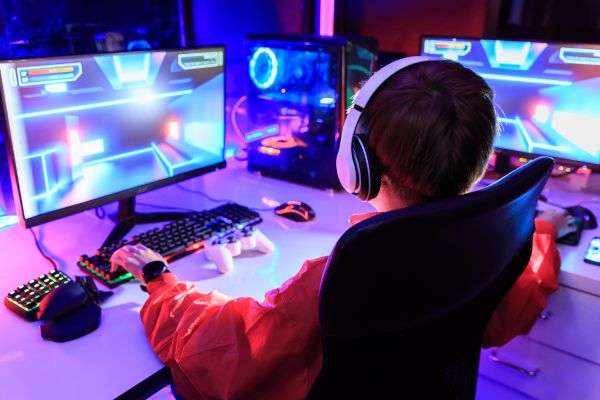
Building your own gaming PC can feel a little intimidating at first. There’s a table full of parts, a mess of cables, and a quiet fear that one wrong move could turn an expensive component into a very shiny paperweight. But once you get past that initial hesitation, the process becomes surprisingly logical—and even enjoyable.
Learning how to build a gaming PC isn’t just about saving money or chasing higher frame rates. It’s about understanding the machine you’ll spend countless hours with, tailoring it to your needs, and gaining the confidence to upgrade or troubleshoot it later. This guide walks you through the entire process in a clear, human way, without assuming you’re an engineer or a professional system builder.
Understanding What a Gaming PC Really Needs
Before you touch a screwdriver, it helps to understand what makes a gaming PC different from a regular desktop. At its core, a gaming PC is built to handle heavy graphical workloads, consistent performance under pressure, and efficient cooling.
The graphics card usually does the heaviest lifting, followed closely by the processor. Around those two anchors sit the supporting cast: memory, storage, power delivery, airflow, and a motherboard that ties everything together. When these parts are chosen thoughtfully, they work in harmony rather than bottlenecking each other.
This balance matters more than chasing the most expensive components. A well-matched system almost always feels better than an overpowered GPU paired with a struggling CPU.
Choosing the Right Parts Without Overthinking It
Selecting components is where many first-time builders get stuck. Reviews pile up, opinions clash, and suddenly every decision feels high-stakes. The truth is simpler: modern PC parts are remarkably compatible and forgiving if you stay within the same generation and platform.
Start with the processor and motherboard, since they must be compatible by socket and chipset. From there, choose memory that meets recommended speeds, storage that suits your gaming library size, and a power supply that offers clean, reliable wattage with some headroom.
Your graphics card choice will largely define your gaming experience, but it doesn’t need to be the absolute top-tier model. Mid-range cards today can deliver excellent performance at high settings, especially if you’re gaming at 1080p or 1440p.
Preparing Your Workspace and Mindset
Building a gaming PC isn’t something you want to rush or squeeze into a cluttered corner. A clean, well-lit table and a calm mindset go a long way. Lay out your components, keep their boxes nearby, and ground yourself occasionally to avoid static buildup.
Take your time. Read manuals when something feels unclear. This isn’t a race, and there’s no prize for finishing faster than necessary. The goal is a stable, reliable system—not bragging rights for speed.
Installing the Processor and Memory
The motherboard is usually the first place real assembly begins. Installing the processor might feel nerve-wracking, but modern CPU sockets are designed to make alignment straightforward. Match the indicator marks, lower it gently, and let the retention mechanism do its job.
Memory installation follows naturally. Slots are clearly labeled, and the modules click into place with a firm but controlled press. This stage is often when the build starts to feel real, as the motherboard transforms from a bare board into something purposeful.
Preparing the Case and Power Supply
Your PC case isn’t just about aesthetics. It dictates airflow, cable management, and how pleasant future upgrades will be. Before installing anything else, take a moment to familiarize yourself with its layout.
Mount the power supply securely, ensuring the fan orientation matches your case’s airflow design. Route the main cables loosely for now. You’ll tidy them up later, once everything else is in place.
Mounting the Motherboard and Connecting the Basics
Installing the motherboard into the case is a satisfying step. Align it with the standoffs, secure it evenly, and resist the urge to overtighten. At this point, you’ll start connecting essential cables: the main power connector, CPU power, and front panel headers.
This stage often tests patience. Front panel connectors are small, labeled in fine print, and easy to misread. Slow down here. Double-check orientations. Getting this right saves you from confusing startup issues later.
Installing Storage and Cooling Solutions
Storage installation depends on your choices. NVMe drives slot directly into the motherboard and disappear almost invisibly once secured. Traditional drives mount into dedicated bays with screws or tool-less trays.
Cooling deserves attention. Whether you’re using an air cooler or liquid cooling, follow the instructions carefully and apply thermal paste correctly. Good cooling isn’t about extreme setups—it’s about consistency and airflow that keeps temperatures stable during long gaming sessions.
Installing the Graphics Card
The graphics card is usually the most exciting part to install. Remove the necessary expansion slot covers, seat the card firmly into the slot, and secure it to the case. Connect its power cables and take a moment to admire the build coming together.
This is also a good time to check clearance and cable routing. A clean interior isn’t just visually pleasing; it improves airflow and makes future upgrades less frustrating.
Final Checks Before Powering On
Before pressing the power button, pause. This is where careful builders shine. Check that all power cables are connected, memory is fully seated, and nothing is loose inside the case. Ensure fans are plugged in and unobstructed.
It’s normal to feel a mix of excitement and nerves at this point. That moment when the system powers on for the first time is memorable, and it’s okay to double-check everything before experiencing it.
First Boot and System Setup
When the system starts successfully, you’ll enter the motherboard firmware. From here, confirm that your components are recognized and set basic options like boot order. Installing your operating system comes next, followed by drivers and updates.
This phase can take time, but it’s also where the PC truly becomes yours. You’ll see performance take shape, temperatures stabilize, and the system settle into its rhythm.
Learning From the Experience
One of the most underrated benefits of learning how to build a gaming PC is the confidence it gives you. Upgrades stop feeling mysterious. Troubleshooting becomes less stressful. You understand why something behaves the way it does.
Even small imperfections—like a cable you wish you routed differently—become lessons rather than regrets. Every builder improves with each system they assemble.
Conclusion: Building More Than Just a PC
Building a gaming PC is about more than assembling hardware. It’s a hands-on education in how modern technology fits together, a chance to customize your experience, and a reminder that complex systems can be approachable with patience and curiosity.
Once you’ve built your first system, you’ll never look at a prebuilt machine the same way again. You’ll know what’s inside, why it works, and how to make it better. And that knowledge, more than any benchmark score, is what makes the experience truly rewarding.