

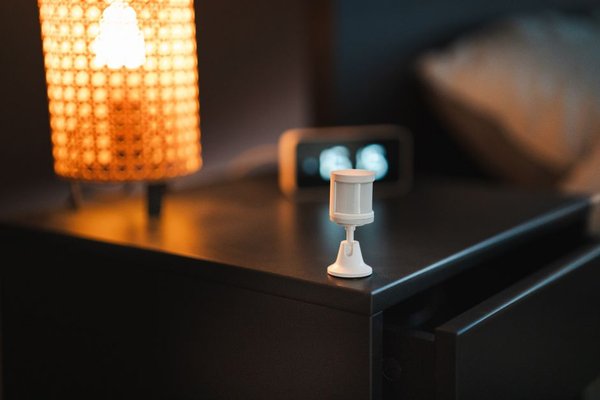
The most useful smart home routines rarely announce themselves. A hallway light comes on before you reach the switch. A bathroom stays softly lit during a midnight visit. An empty office stops wasting energy without switching everything off while you are still working. Smart motion sensor automation can make these small decisions automatically, but only when the rules reflect how people actually use a space.
A sensor detects an event; a good routine interprets it. Time of day, available daylight, home or away mode, and how long a room has been quiet can all change the right response. That is what separates helpful automation from lights that blink off mid-task or notifications nobody wants to read.
Start by distinguishing movement from presence
Most familiar motion sensors use passive infrared (PIR) technology to detect changes in infrared energy as people move through their field of view. They are excellent at spotting someone walking into a hallway. They are less reliable at deciding whether a person sitting quietly at a desk has left the room.
Some presence sensors use millimeter-wave radar to detect much smaller movements, making them useful for desks, sofas, and other areas where occupants stay relatively still. However, radar-based models can also register unwanted movement or reflections if their detection zones are poorly configured. Neither technology is automatically better everywhere.
A sensible starting point is to choose PIR for passageways and consider presence sensing where lingering matters. Our guide to choosing PIR versus presence sensors is a useful next step when planning a mixed setup.
Motion sensor routines worth setting up
Give hallways and stairs light only when it is needed
For a corridor, the rule can be simple: when motion is detected and ambient light is low, turn on the lights; after a period without movement, turn them off. A starting timeout of two to five minutes is reasonable for testing, not a universal ideal. Use longer delays where people might pause to put on shoes or collect laundry.
At night, activate a dim, warm scene rather than full brightness. If your platform supports it, a daytime scene and a bedtime scene can share the same sensor while producing very different results.
Make bathrooms comfortable without abrupt blackouts
A bathroom sensor can turn on modest lighting for a nighttime visit and brighter lighting when daylight is scarce. The common mistake is setting the off timer too short. A person showering behind a screen or remaining still may not retrigger a PIR sensor.
Use a generous timeout, additional presence sensing, or a manual override. Never let motion alone switch off a bathroom fan that needs to keep running for moisture control; give ventilation its own humidity or timer-based logic where appropriate.
Keep the home office from shutting down during quiet work
An office is where a basic motion-only rule often fails. Reading, typing slowly, or attending a video call may produce little detectable movement. A presence sensor can help, but so can a longer inactivity period paired with computer activity or a desk switch, if your platform offers those signals.
Start with a rule that dims lighting after sustained absence rather than cutting it immediately. If someone is still there, restoring their preferred scene should be easy. Our smart lighting automation guide can help with scenes and manual overrides.
Make security alerts depend on context
Motion detection can support home security without turning every movement into an alarm. For example, a garage sensor might send a notification only when the household is marked away, the garage door is closed, and motion persists long enough to rule out a momentary glitch.
At home, that same sensor could simply turn on a utility light. Avoid treating an inexpensive motion sensor as a substitute for a proper alarm system, especially where safety or property protection is critical. Set notification priorities so routine activity does not bury important alerts.
Use occupancy to adjust climate, cautiously
Smart sensor ideas for occupancy automation extend beyond lighting. In a room with compatible zoning controls, sustained occupancy might permit a comfortable temperature setting, while confirmed vacancy lets the system return to an energy-saving setting. Climate systems respond slowly, so reacting to every brief trip out of the room can be counterproductive.
Use longer absence periods, thermostat schedules, and temperature readings alongside occupancy. Do not shut down essential heating, ventilation, or humidity control based on a single missed motion event. Check the equipment manufacturer’s requirements before automating HVAC behavior.
How to prevent false triggers and irritating routines
The difference between an automation you keep and one you disable is usually in its conditions. Rather than asking only whether motion occurred, ask when the action should be allowed and when it should be ignored.
First, position each sensor to watch the activity you care about. Avoid aiming it directly at busy doorways outside the intended room, and consider pets, moving curtains, windows, and heat sources when evaluating unwanted activations. Mount temporarily and walk through normal daily scenarios before committing to a permanent position.
Second, separate detection from shutoff. A motion event can turn a light on immediately; turning it off should depend on sustained absence. In platforms that support restartable delays or occupancy-cleared conditions, new activity can extend the timer rather than allowing an old timer to switch lights off unexpectedly.
Third, give routines boundaries: a daylight condition for lamps, an away condition for security messages, and a bedtime condition for low-glare lighting. Build in a manual override for guests, cleaning, films, or anything the automation cannot infer. Our guide to smart home sensor placement offers more detailed setup ideas.
Frequently asked questions
What is the difference between a motion sensor and an occupancy sensor?
A motion sensor primarily notices movement. An occupancy or presence setup aims to determine whether a space remains occupied, sometimes using radar or combining several signals. Product capabilities vary, so read the detection specifications rather than relying on the label alone.
Can motion sensors turn lights off automatically?
Yes, with compatible smart lights, switches, or a hub. The most dependable arrangement waits until the sensor reports no activity for an appropriate period before switching lights off, with an override for unusual situations.
Why does my motion sensor trigger when nobody is there?
Common explanations include movement outside the intended area, pets, environmental changes, or sensor-specific sensitivity and reflections. Review the event history, adjust the position or zone, and test one change at a time before blaming the automation platform.
Do motion sensor automations need the internet?
Not always. Some sensors, hubs, and smart-home platforms support local operation, while others depend on cloud services for particular routines or notifications. Check every device and integration involved; a locally detected event does not guarantee the whole routine works offline.
Make automation respond to the room, not just the sensor
The best smart motion sensor automation feels considerate: enough light when someone enters, a quiet response when people are resting, and sensible energy settings after a space is genuinely empty. Start with one clear use case, combine movement with context, and tune the timing around real behavior. Those small choices make a smart home more dependable than any elaborate collection of triggers.