

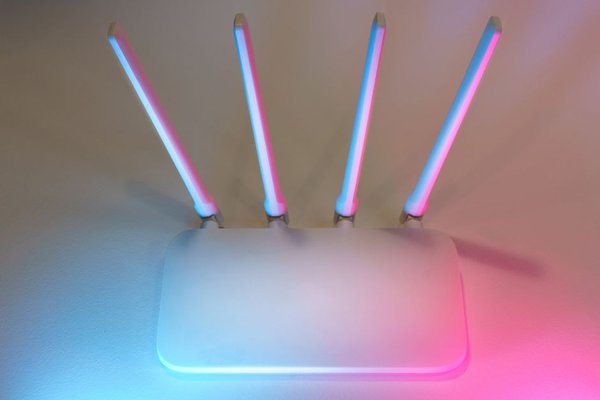
If the Wi-Fi works beautifully beside your router but struggles in the bedroom, the problem might not be your internet plan. It could be where the router sits. A router hidden behind the television or tucked into a corner has to push its signal through more obstacles before it reaches the rest of the home. Finding the best router placement is often a free, practical first step toward faster, more reliable connections.
Start With Where You Need Wi-Fi Most
Before moving anything, think about how your household uses the internet. Mark the home office, bedrooms, living room and any area where video calls or streaming regularly stall. A central point on a floor plan may look ideal, but a hallway cupboard in that spot could perform worse than an open shelf a little farther away.
For most homes, the best Wi-Fi router location is near the center of the spaces that need coverage. If your router is at one end of the house, the signal travels farther to reach the opposite end, often passing through several walls. Shifting it closer to the middle can shorten those paths.
Follow Three Simple Placement Rules
Keep the Router in an Open Area
Choose a shelf, desk or suitable wall mount rather than a closed cabinet. Avoid putting the router behind a television, inside a media console or underneath a pile of cables. These locations introduce obstructions and may restrict ventilation. Leave the clearance recommended by the manufacturer, especially around vents.
Raise It Above Floor Level
A router generally performs better on a table or elevated shelf than on the floor. Furniture, people and nearby objects are less likely to block its signal. You don’t need the highest possible shelf: a stable, open position at roughly desk or bookcase height is a sensible starting point.
Avoid Corners and Exterior Walls
When the router sits against an outside wall, part of its coverage extends beyond the building instead of toward indoor devices. A central spot gives the wireless signal more useful directions in which to travel.
Know What Weakens a Wi-Fi Signal
Walls aren’t all equal. Drywall and wooden partitions generally cause less trouble than concrete, brick or metal-reinforced construction. Large mirrors, metal cabinets and appliances can also obstruct or reflect wireless signals. Even a large aquarium may make a poor neighbor for your router because water absorbs radio energy.
Interference matters too. Microwave ovens, some cordless phones, baby monitors and Bluetooth equipment can compete with or disturb the 2.4 GHz band. Keeping the router away from these devices can make connections more stable. You don’t need to clear an entire room; simply avoid placing the router right beside potential sources of interference.
What Router Placement Looks Like in a Real Home
Imagine a two-story house with the internet connection entering through a downstairs front room. The router sits behind the TV, while the upstairs back bedroom has unreliable video calls. Moving the router a few feet into an open position may help, but the bigger gain could come from relocating it toward the middle of the downstairs floor, if the wiring allows.
Try a shelf near the stairwell, where the signal has a clearer path toward both floors. This isn’t a guaranteed sweet spot: concrete floors, plumbing and room layouts can still block coverage. Test the downstairs living area and upstairs bedroom after each move rather than assuming one location must work.
Check Antennas and Wi-Fi Bands
For routers with adjustable external antennas, start with the orientation recommended in the manual. Vertical antennas are a common starting point for coverage across one floor, but the best arrangement depends on the antenna design and layout. Routers with internal antennas should normally sit in the orientation intended by their manufacturer.
Placement also affects the available bands differently. The 2.4 GHz band often reaches farther through obstacles but is more prone to congestion. The 5 GHz and 6 GHz bands can provide faster connections under suitable conditions, yet generally lose strength sooner across distance and walls. If a distant room has weak 5 GHz reception, choosing another band may help, provided your devices and router support it.
Run a Simple Before-and-After Test
Don’t judge success by the number of Wi-Fi bars alone. Stand in the same three or four rooms and run comparable speed tests on the same device before and after repositioning. Record download speed, upload speed and whether calls or videos remain stable. Repeat tests at similar times to reduce the effect of changing network traffic.
Start with the room that causes the most frustration. Move the router to a more central, open shelf, then revisit each test location. A small improvement everywhere may be more valuable than spectacular speed next to the router and unusable service at the far end of the house.
If performance remains inconsistent, compare a wired Ethernet connection with Wi-Fi. Slow speeds over Ethernet may point to an internet-service, modem or other network issue rather than router placement. For more diagnosis, a guide to how to fix Wi-Fi dead zones can help you identify where coverage drops away.
When Moving the Router Isn’t Enough
A very large home, thick masonry walls or several floors may need more than one wireless access point. A wired access point or a well-positioned mesh system can extend coverage where one router cannot. Wireless mesh nodes still need a solid connection to one another; putting a node inside a dead zone rarely fixes the underlying problem.
Before buying equipment, compare mesh Wi-Fi vs Wi-Fi extenders and consider whether Ethernet is available for a reliable backhaul. Placement should be your first experiment, not necessarily your only solution.
Frequently Asked Questions
Where Should I Place My Wi-Fi Router for the Best Signal?
Use an open, elevated location near the center of the rooms that need service. Keep it clear of large metal objects, thick barriers and appliances that may cause interference. Test several spots because every home is different.
Is It Bad to Put a Router in a Bedroom?
A bedroom is not automatically a poor location. It may be practical if that room is central to your coverage needs. Just avoid enclosing the router, blocking vents or placing it close to interference sources.
Should the Router Be Upstairs or Downstairs?
In a two-story home, try a central position that reduces the number of floors and walls between the router and important devices. A high shelf downstairs or an open upstairs landing may work, depending on the building’s construction.
Can Moving a Router Increase My Internet Speed?
It can improve wireless speeds and reliability when a weak signal or interference is the limiting factor. It won’t raise the maximum speed of your internet subscription. Understanding 2.4 GHz vs 5 GHz Wi-Fi can also help you choose an appropriate connection for each device.
Make the Best Spot Work for Your Home
The best router placement is usually central, elevated and free of obstacles, but the real winner is the spot that performs well in the rooms that matter. Start with a small move, test the result and adjust. Those few minutes may improve everyday Wi-Fi without spending anything on new hardware.