

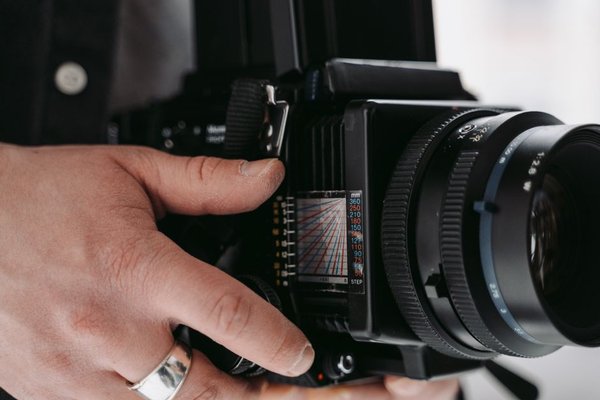
A cyclist passing your camera can look razor-sharp in one photograph and streaked across the frame in the next. The difference may be a single setting: shutter speed. But the number on the screen tells only part of the story. Inside a modern camera, physical curtains or electronic sensor timing determine how each moment is captured. Understanding both helps you choose a shutter speed for the picture you want—and recognize problems a faster setting cannot fix.
What Shutter Speed Actually Measures
The basic shutter speed meaning is the duration for which a photograph gathers light. It is usually displayed as a fraction of a second: 1/1000 second is shorter than 1/125 second, while 1 second is much longer. A camera may show 1000 instead of 1/1000, so the denominator is easy to overlook.
Exposure time controls how far a moving subject travels while its image is being recorded. At 1/1000 second, a moving hand has little time to shift; at 1/15 second, the same movement may leave a noticeable trail. Camera shake can create blur too, even when the subject is perfectly still.
Why Each Stop Matters
Moving from 1/250 to 1/500 second halves the exposure time and admits half as much light when everything else stays equal. Moving from 1/250 to 1/125 doubles both. Aperture and ISO can help balance the resulting brightness, although raising ISO does not increase the actual light captured and may make noise more visible. An exposure triangle guide connects these choices.
Choosing Between Frozen Action and Motion Blur
Think about how the subject moves across the frame, not just how quickly it moves in real life. A car driving sideways past you changes position on the sensor faster than one approaching from a distance. A long focal length also magnifies small movements, making sharp results harder to achieve.
As starting points, try 1/1000 second or faster for birds in flight or rapid sport, 1/500 for an active cyclist, and 1/125 to 1/250 for a relaxed portrait. These are estimates, not guarantees. Review the sharpest detail in your photograph and adjust for the actual movement and lighting.
Slower speeds can be deliberate. A shutter around 1/30 second can convey movement in a walking crowd; an exposure lasting several seconds can turn headlights into trails. For flowing water, try a range from about 1/4 second to a few seconds and compare textures. Use a tripod when you want the surroundings sharp but the moving subject blurred.
A Practical Panning Experiment
Photograph a cyclist crossing your view at 1/500 second, then try 1/60 second while smoothly turning the camera to follow the rider. At the slower setting, the cyclist may remain reasonably defined while the background stretches into lines. Take several frames: successful panning depends on matching the subject’s motion, not just selecting the correct number.
How a Mechanical Shutter Works
In many interchangeable-lens cameras, a mechanical shutter uses curtains positioned near the sensor. One curtain starts the exposure and another ends it. At relatively slow settings the sensor can be fully uncovered for part of the exposure; at high settings the curtains form a narrow moving slit. Different parts of the frame are therefore exposed at slightly different moments, even though each part receives the selected duration.
A mechanical shutter makes sound, experiences wear and may cause slight vibration. Its advantages can include predictable performance with flash and reduced distortion or banding compared with some electronic modes. Exact behavior depends on camera design, so a mechanical shutter is not automatically the best option for every scene.
What Changes With an Electronic Shutter?
An electronic shutter controls exposure through the imaging sensor instead of relying on moving curtains. It can offer silent operation and extremely short exposure times. That makes it attractive for quiet ceremonies, wildlife and bright outdoor scenes.
Most conventional electronic shutters use rolling readout: rows begin or finish their exposures at different moments. A setting of 1/8000 second describes the exposure time of each row, not necessarily the time needed to scan the entire frame. If a propeller spins rapidly during that scan, its blades may look bent. Vertical poles can appear slanted when the camera pans quickly.
Faster-readout stacked sensors can greatly reduce these effects. A true global-shutter sensor exposes the entire image simultaneously, avoiding rolling-shutter skew, although camera designs and other performance trade-offs still differ. A comparison of rolling versus global shutter technology is useful when interpreting hardware specifications.
Why Indoor Lights and Flash Complicate Timing
Artificial lights may pulse faster than the eye notices. When that changing light meets a traveling shutter slit or rolling sensor scan, a picture may show bright and dark bands or inconsistent color. Electronic shutter mode can make this especially noticeable under certain LED fixtures, although mechanical shutters are not immune.
If bands appear, try switching shutter type, adjusting the shutter speed or enabling the camera’s anti-flicker or variable-shutter feature. Flash also has synchronization limits: many cameras restrict conventional flash use with electronic shutters, while some high-speed or global-shutter designs behave differently. Check your model’s flash specifications rather than assuming every shutter mode supports the same setup.
A Simple Way to Choose Your Settings
Start with the look you want. Choose a short exposure to stop movement or a longer one to show it. Then examine brightness, subject sharpness and the shape of moving objects. If an image is dark at 1/1000 second, consider a wider aperture, more light or a higher ISO instead of slowing down when stopping action matters most.
For handheld photographs, stabilization can reduce blur from your own movement, but it cannot freeze a running child. A guide to image stabilization and handheld sharpness can help separate those two problems. When your images show bent objects or lighting bands, investigate shutter technology before changing exposure settings endlessly.
Frequently Asked Questions
Is 1/1000 second always fast enough to freeze motion?
No. It works for many fast-moving subjects, but close-up wings, motors or rapidly crossing objects may need shorter exposure times. Your distance, lens and intended print size affect what looks sharp.
Does a faster shutter speed make a photo darker?
With aperture, lighting and ISO unchanged, yes. Halving the exposure time captures about half as much light. Automatic exposure modes may compensate by changing other settings.
Is an electronic shutter better than a mechanical shutter?
Neither is universally better. Electronic operation can be silent and very fast, while mechanical operation may handle certain lighting and flash situations more reliably. Sensor readout speed is an important part of the comparison.
What shutter speed should I use for video?
A common cinematic starting point is an exposure time near half the frame interval, such as 1/50 second when recording at 25 frames per second. Faster settings create crisper individual frames but can make motion look choppier; lighting flicker may also influence the choice.
Final Thoughts
Shutter speed is both an artistic decision and a hardware timing decision. The exposure duration shapes motion and brightness, while the shutter mechanism determines how that duration is delivered across the sensor. Learn to read both, and blurry movement, bent shapes and unexpected light bands become problems you can diagnose instead of mysteries you have to accept.