

The best team collaboration apps do more than replace office conversations with chat. A useful platform should help people find decisions, share files, move projects forward, and switch between quick messages and deeper work without creating clutter. The right choice depends less on the longest feature list and more on where your team already works, how formal your workflows are, and how much context needs to stay attached to tasks, documents, or conversations.
Most leading options fall into three groups: communication-first tools such as Slack and Microsoft Teams, work-management platforms such as Asana and ClickUp, and shared workspace apps such as Notion and Google Workspace. Comparing them this way helps teams choose software that fits team habits.
What to compare before choosing a collaboration app
Start with the way information moves through your team. If most work begins with conversation, channels, direct messages, search, calls, and integrations matter most. If work begins with assignments and deadlines, task ownership, project views, automations, and reporting deserve more weight. Teams that produce documentation may care more about shared pages, collaborative editing, knowledge bases, and file organization.
Pricing structure matters too. Free plans may limit message history, storage, automation, meetings, or admin controls, while paid tiers are commonly billed per user. Remote team software should also be judged on mobile usability, guest access, security, and contractor access.
Best team collaboration apps for different working styles
Slack: best for fast-moving team communication
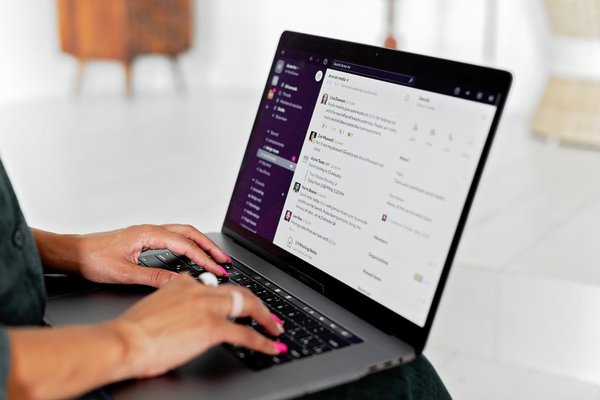
Slack is one of the strongest team communication apps for organizations that work through channels and real-time conversation. Channels can be organized around projects, clients, teams, or topics, while huddles support quick audio or video discussions with screen sharing. Slack also includes file sharing, canvases, lists, workflow automation, and a broad integration ecosystem.
The main risk is letting conversation become the whole workflow. Without channel conventions and clear rules for recording decisions, context can disappear into chat. Slack works best when messaging is the coordination layer and formal work is tracked in Slack tools or connected project software.
Microsoft Teams: best for Microsoft 365 organizations
Microsoft Teams is a natural fit for companies already using Microsoft 365. Chat, meetings, channels, file sharing, tasks, and collaboration around Microsoft documents sit inside the same ecosystem, with OneDrive and SharePoint supporting file storage. Business plans also provide longer meetings, larger participant limits, recordings on eligible tiers, and admin controls.
For organizations that live in Outlook, Word, Excel, PowerPoint, and SharePoint, the advantage is reduced switching. Teams can feel more complex than a chat-first product, but that depth suits businesses that want workplace collaboration tools tied to existing accounts and documents.
Google Workspace: best for live document collaboration
Google Workspace is especially effective when teamwork centers on documents, spreadsheets, presentations, shared files, and meetings. Google Chat, Meet, Drive, Docs, Sheets, Slides, Calendar, and Gmail work together, helping people move from a conversation to a file or meeting without leaving the workspace.
A marketing team, for example, can discuss a campaign in Chat, review the brief in Docs, track assets in Sheets, store files in Drive, and meet in Meet under the same account structure. Teams that need project tracking may still pair Google Workspace with Asana or ClickUp.
Asana: best for structured project coordination
Asana is built around tasks, projects, ownership, deadlines, dependencies, and progress visibility rather than continuous chat. It offers list, board, calendar, timeline, and Gantt-style views on applicable plans, alongside status updates, forms, automations, dashboards, comments, messages, and integrations.
This makes Asana a strong choice when managers need to know who owns the next step and when it is due. Paid tiers add reporting, workflow, portfolio, and organizational controls, which is useful when a chat app already handles conversation.
ClickUp: best for combining chat, tasks, and docs
ClickUp combines tasks, project views, Docs, dashboards, automation, and built-in Chat. Its Chat feature supports channels and direct messages, and conversations can connect directly to work items. That reduces the problem of discussing a task in one app and managing it somewhere else.
The platform is broad, which is both its appeal and its challenge. Teams willing to configure spaces, statuses, views, and permissions can consolidate several tools into one workspace. Smaller teams that want minimal setup may prefer something simpler.
Notion: best for knowledge and flexible shared workspaces
Notion combines documents, wikis, databases, project tracking, forms, calendars, and collaborative pages. Teams can build roadmaps, editorial calendars, meeting notes, operating procedures, and knowledge hubs without separating each function into a different app.
Its flexibility is ideal for teams that want to design their own system, but it requires discipline. Without agreed templates and page ownership, a workspace can become inconsistent. Notion is strongest when documentation and shared context matter as much as task tracking.
How to choose the right tool for your team
A useful way to decide is to test one real workflow instead of comparing feature lists in isolation. Take a recurring process such as launching a blog post, onboarding a client, or shipping a product update. Recreate it in each shortlisted app: discussion, file sharing, assignment, review, approval, meeting, and handoff. The best platform is usually the one that loses the least context between those steps.
If your team talks constantly and already has a separate project system, Slack is a strong communication layer. If you are deeply invested in Microsoft 365, Teams offers tighter ecosystem integration. Google Workspace suits document-led collaboration. Asana is strong for structured ownership, ClickUp appeals to teams seeking consolidation, and Notion works well when knowledge and flexible workspaces are central.
FAQ
What is the best team collaboration app for remote teams?
There is no single best option for every remote team. Slack and Teams are strong for ongoing communication, Google Workspace is excellent for live document collaboration, while Asana and ClickUp provide more structured project coordination. The right choice depends on whether your main problem is communication, accountability, documentation, or tool sprawl.
Can one collaboration app replace email, chat, and project management?
Some platforms can replace much of that stack, but complete consolidation is not always necessary. ClickUp and Teams cover several collaboration functions, while Slack and Notion integrate well with specialist tools. A smaller, well-connected stack is often easier to manage than forcing every workflow into one application.
Are free collaboration apps good enough for small teams?
They can be. Free plans are useful for testing workflows and may be sufficient for small groups, but limits on history, storage, meetings, automation, guests, or admin controls can matter quickly. Check current plan details before a wider rollout.
What should a team test during a free trial?
Test search, notifications, guest access, mobile use, file sharing, integrations, meeting quality, and one real-world workflow. Ask where participants had to duplicate information or switch apps. Those friction points are often more revealing than a feature checklist.
Choosing a collaboration app that people will actually use
The best collaboration platform is the one that makes work easier to follow after setup. Choose around your team’s dominant workflow, keep the toolset simple, and give every channel, project, page, or workspace a clear purpose. Good collaboration software should reduce searching, repeated updates, and lost decisions rather than move those problems into a newer interface.